0
͏‌ ͏‌ ͏‌ ͏‌ ͏‌ ͏‌ ͏‌ ͏‌ ͏‌ ͏‌ ͏‌ ͏‌ ͏‌ ͏‌ ͏‌ ͏‌ ͏‌ ͏‌ ͏‌ ͏‌ ͏‌ ͏‌ ͏‌ ͏‌ ͏‌ ͏‌ ͏‌ ͏‌ ͏‌ ͏‌ ͏‌ ͏‌ ͏‌ ͏‌ ͏‌ ͏‌ ͏‌ ͏‌ ͏‌ ͏‌ ͏‌ ͏‌ ͏‌ ͏‌ ͏‌ ͏‌ ͏‌ ͏‌ ͏‌  {% if userAttribute.first_name %} {% set greetings = "Hi " + userAttribute.first_name | capitalize + "," %} {% else %} {% set greetings = "Hi, " %} {% endif %} {% set dateToday = now() | converttimezone('EST') | datetimeformat("%b %d, %Y") %} 
 
Image
 
Alternate text

Curb Flow Offers: Check Your DASH Tablet Volume Settings


Want to make sure you’re not missing out on Curb Flow ride offers? Check your DASH table volume settings today.


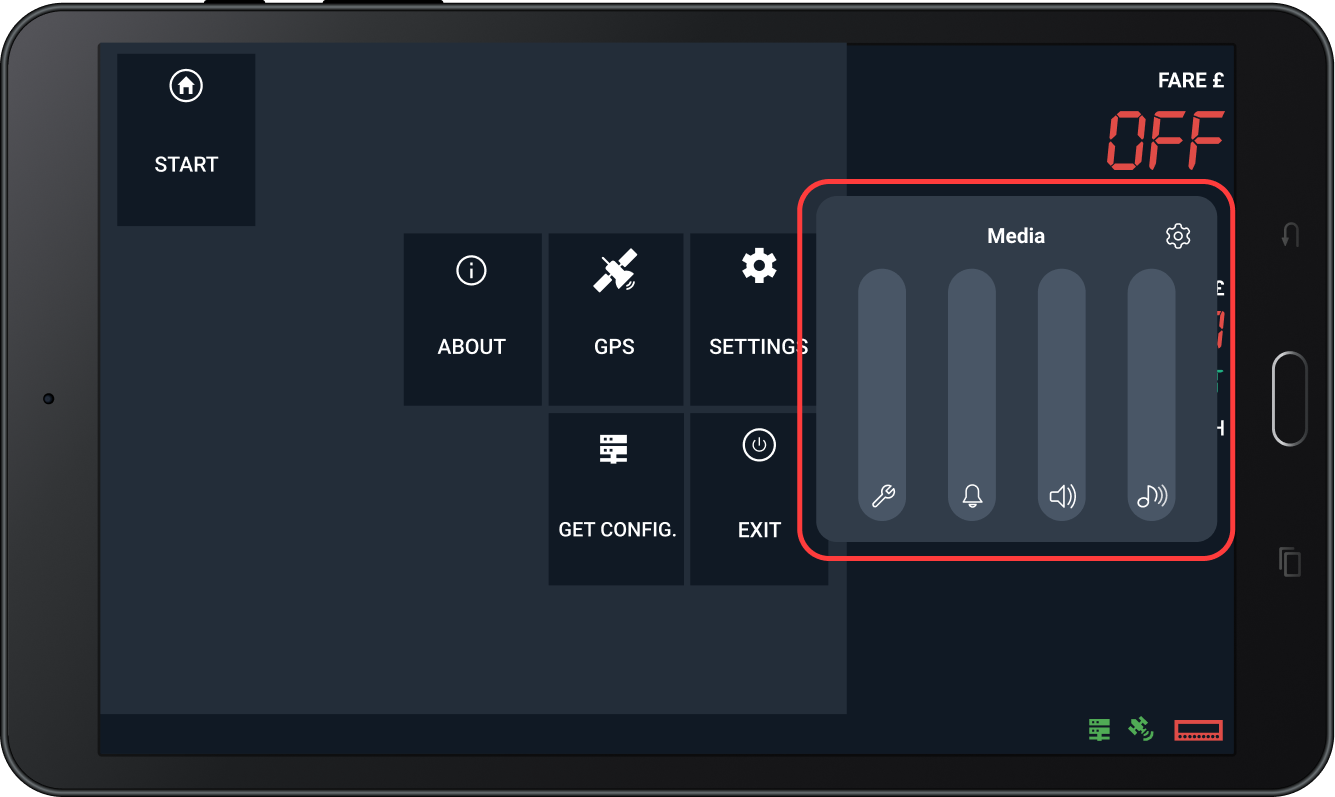
If your volume is turned down or muted, Curb Flow ride offers may be coming in without you knowing. Take a moment to maximise your volume settings by following these simple steps:

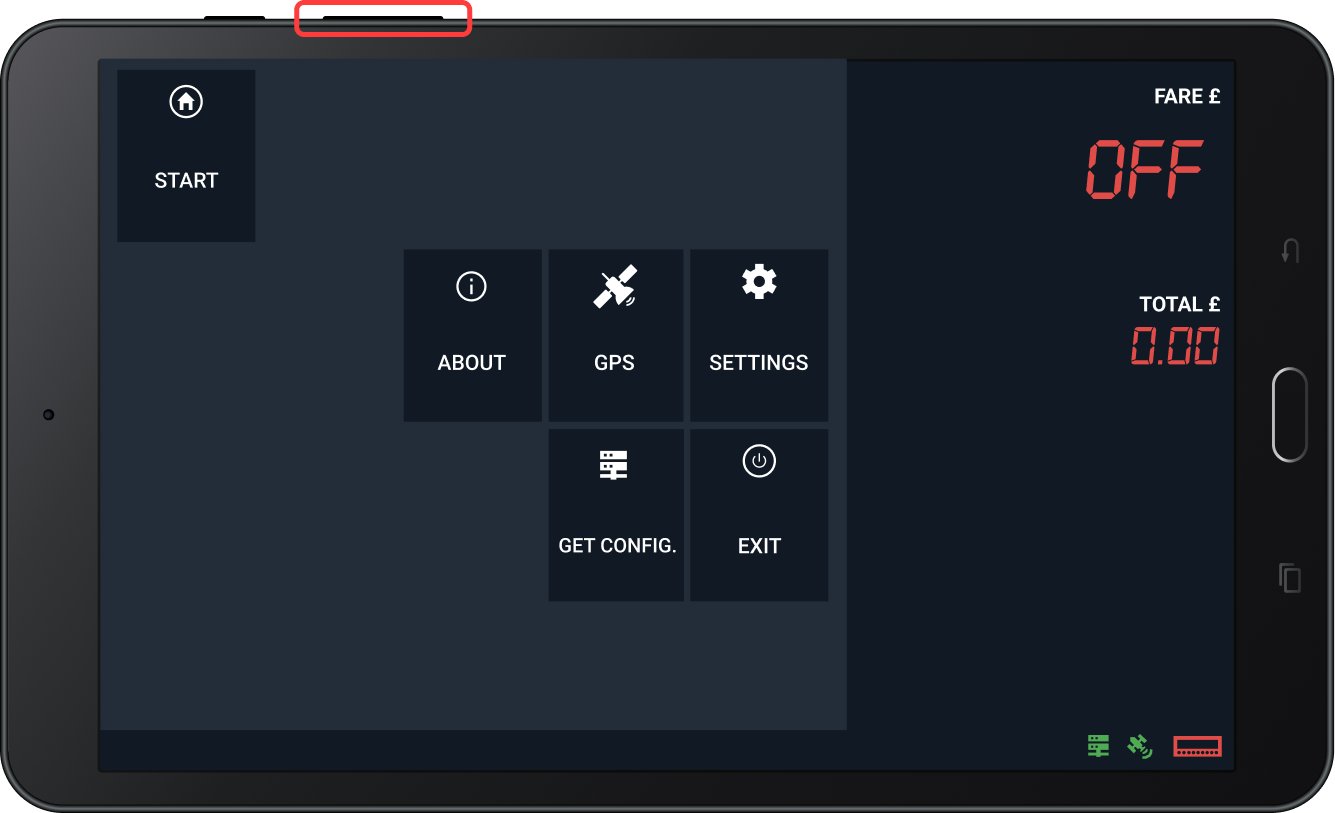
1. Press the volume button on the side of your DASH tablet.


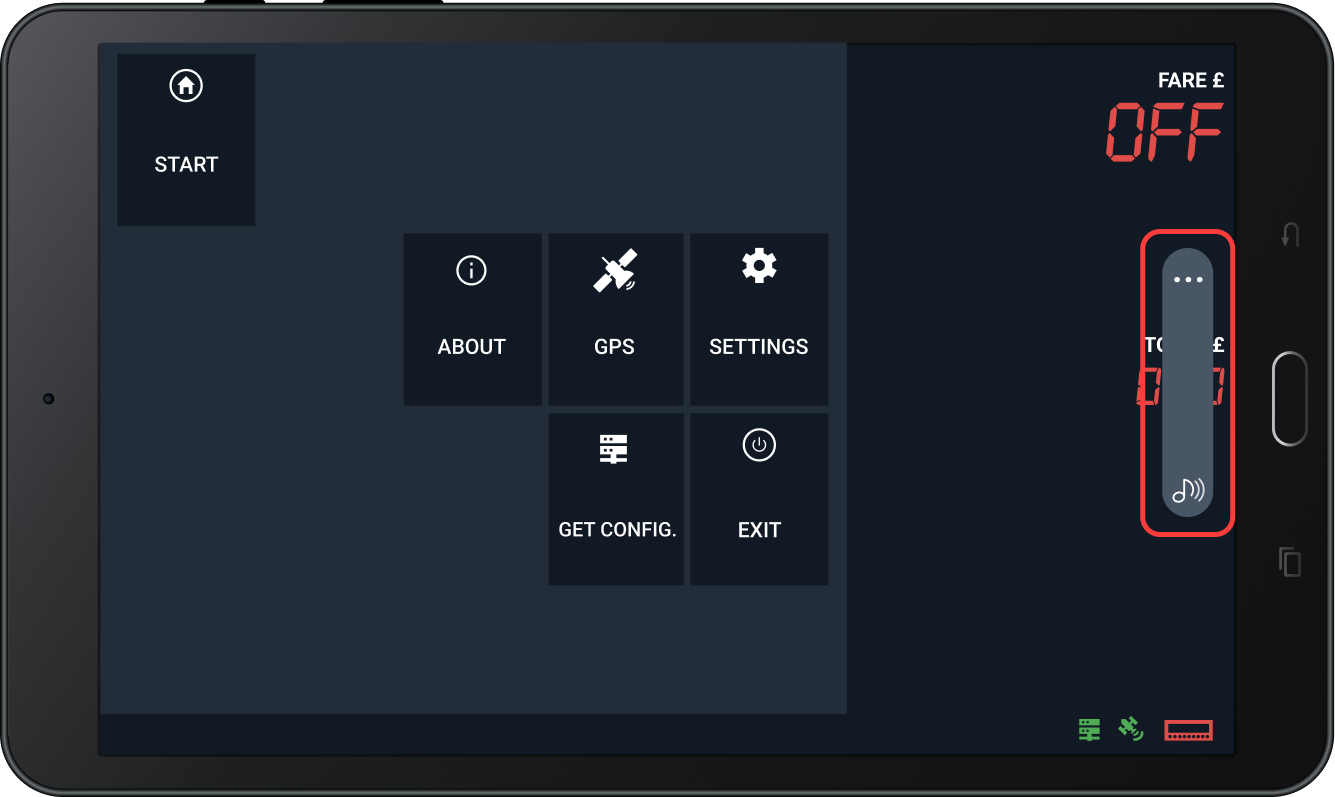
2. A volume bar will appear on your screen.

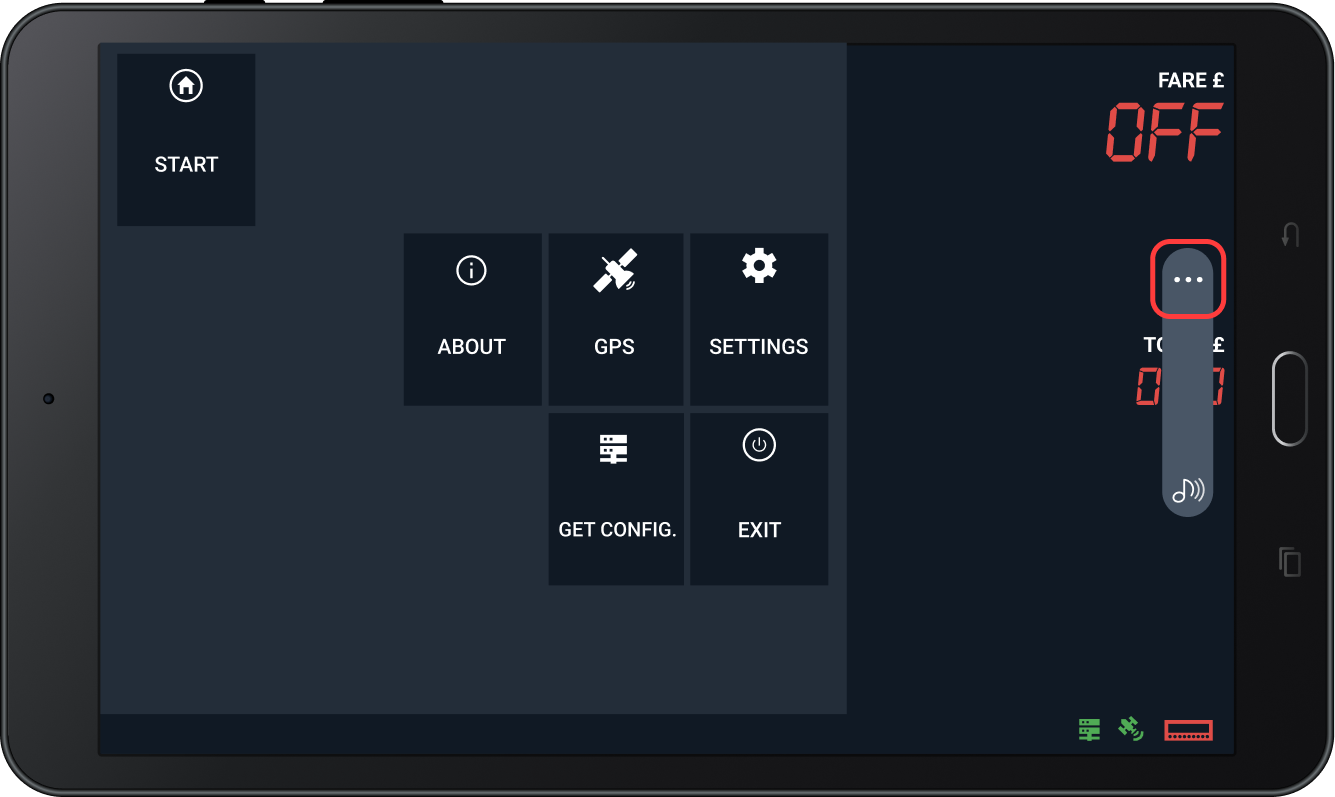
3. Tap the three dots at the top of the volume bar to open the master volume menu.

4. Ensure all volume levels are set to maximum.


If you’ve followed the steps above and are still not hearing Curb Flow offers come through, please visit the Curb Mobility Limited office at 130 Railway Arches, Three Colts Lane, London E2 6JN, and a member of the team will be happy to help.


Thank you for driving with Curb!


Kind regards,

The Curb Team

Website
eFleet Login
Contact us

Copyright © 2026 Curb Mobility Ltd., All rights reserved. 
You are a Curb Mobility customer and receive customer service and technical update emails from us.

Our mailing address is:

Curb Mobility Ltd.


130 Railway Arches
 Three Colts Lane
 London, E2 6JN

Get in Touch
Get in Touch